MultiScope Air Traffic Control puts you on Schiphol's approach frequency
Work Schiphol’s approach radar by voice or input panels. MultiScope’s Academy, online co-op, local speech models and Early Access limits explained.

Official Steam screenshot. Scope Studios.
You have an arrival turning towards the runway, another coming in behind it and departures climbing through the same airspace. In MultiScope Air Traffic Control, you choose headings, heights and speeds to turn that traffic into a safe sequence. You can give those instructions over push-to-talk, hear a pilot read them back and watch the aircraft respond on the radar.
Scope Studios' approach-control simulator entered Steam Early Access on 7 November 2026 for Windows, macOS and Linux. Amsterdam Schiphol is the launch airport. The draw is working the traffic from the controller's side of the scope: deciding who goes where, when they descend and how their flight fits around everybody else's.
MultiScope Air Traffic Control: the radar and flight paths
You are managing aircraft from a radar display rather than flying one yourself. Arrivals follow published routes towards the airport; departures climb out beneath and around them. You can turn an aircraft away from its route, send it directly to a waypoint, change its level or slow it down to adjust the stream approaching a runway.
The radar picture updates with every sweep. Each aircraft has a movable data tag, a trail and an optional speed vector projecting where it is heading. You can zoom out to 80 nautical miles to see traffic coming towards you, or zoom in to fine-tune the spacing on final approach. These are different views of the same traffic problem, not extra aircraft you directly pilot.
Aircraft fly published routes and holding patterns until you change their instructions. Holding gives traffic a defined pattern to follow while you organise what should happen next. The scope warns when aircraft are too close, when wake-turbulence spacing is insufficient or when a flight is about to enter airspace that is not yours.
An ILS approach is the runway's instrument-guided final approach. Getting several aircraft established on it safely means thinking about the path and spacing before they reach the same piece of sky. The game also tracks wake-turbulence spacing and boundaries with neighbouring sectors, so the nearest two radar targets are not the only things you need to watch.
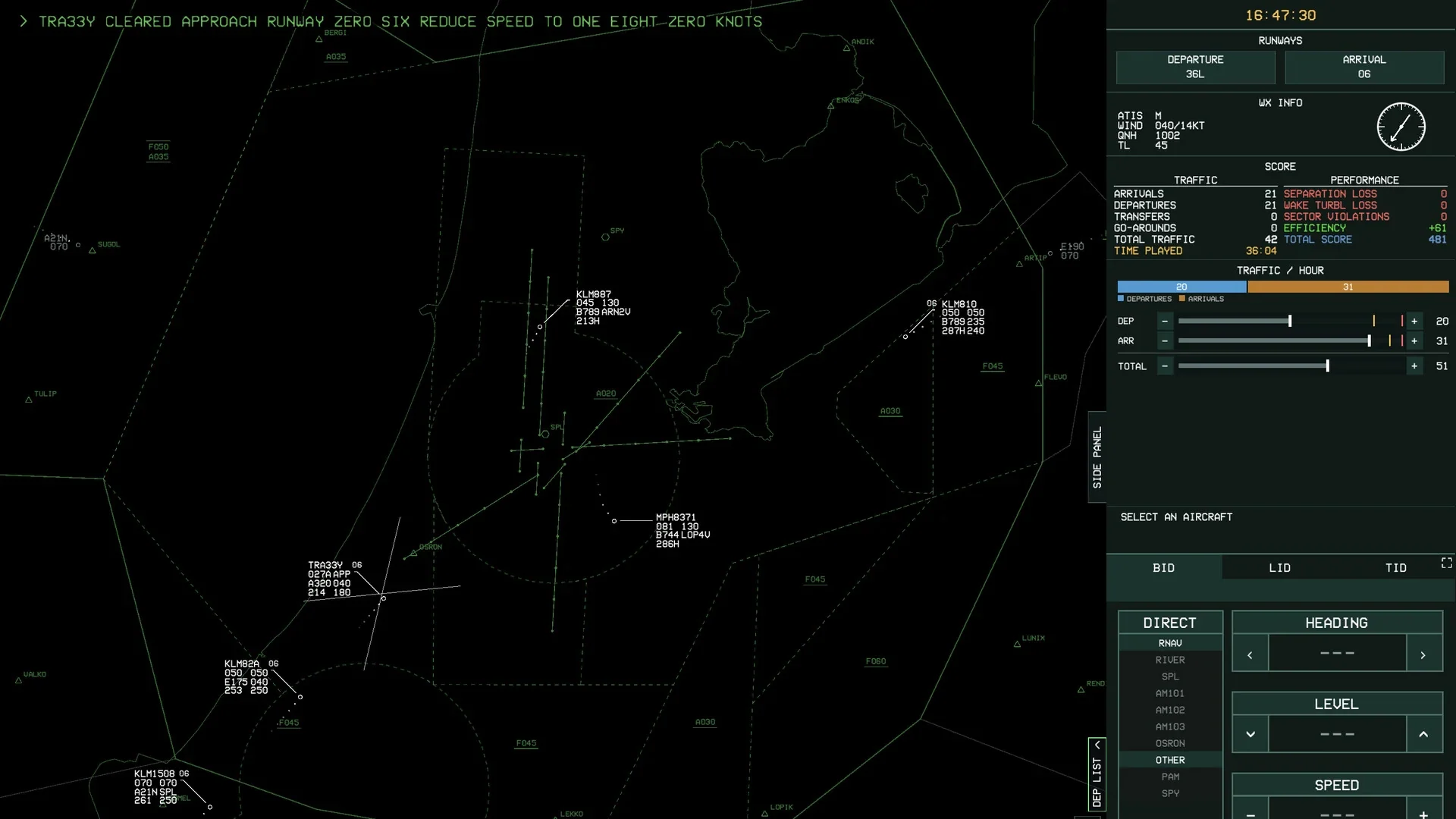
An official screenshot shows a transmitted approach instruction across the top of the scope, with runway choices, weather, traffic sliders and a performance panel down the side. Those controls make the central relationship visible: the number and direction of aircraft are inputs to a situation you have to organise, not simply scenery behind a radio conversation.
Voice recognition with Scope Studios’ own speech model
Hold push-to-talk and issue a clearance using ICAO or FAA phraseology. The developer’s voice-control devlog explains the sequence: the recognised text appears on the scope, the aircraft label can update immediately, and the pilot reads the instruction back before acting on it. If the instruction is understood but cannot be carried out, such as an approach to a runway not in use, the text turns red.
The same devlog gives useful examples of what the simulation is trying to represent. A pilot can ask for a missing pressure setting, query an apparent climb described as a descent, or request the part of a transmission it did not receive. Speaking over a pilot is also meant to block both transmissions on the shared frequency.
These are developer-described behaviours, not a claim that I have tested recognition accuracy with different accents or microphones. They explain why the speech system is more than a decorative voice-command menu: the exchange is part of how an instruction becomes an aircraft action.
The team's own speech model is trained on ATC phraseology. The store says it accepts longer transmissions, alternate wording and accents; these remain capabilities to test with your own microphone rather than an accuracy guarantee.
Play without a microphone
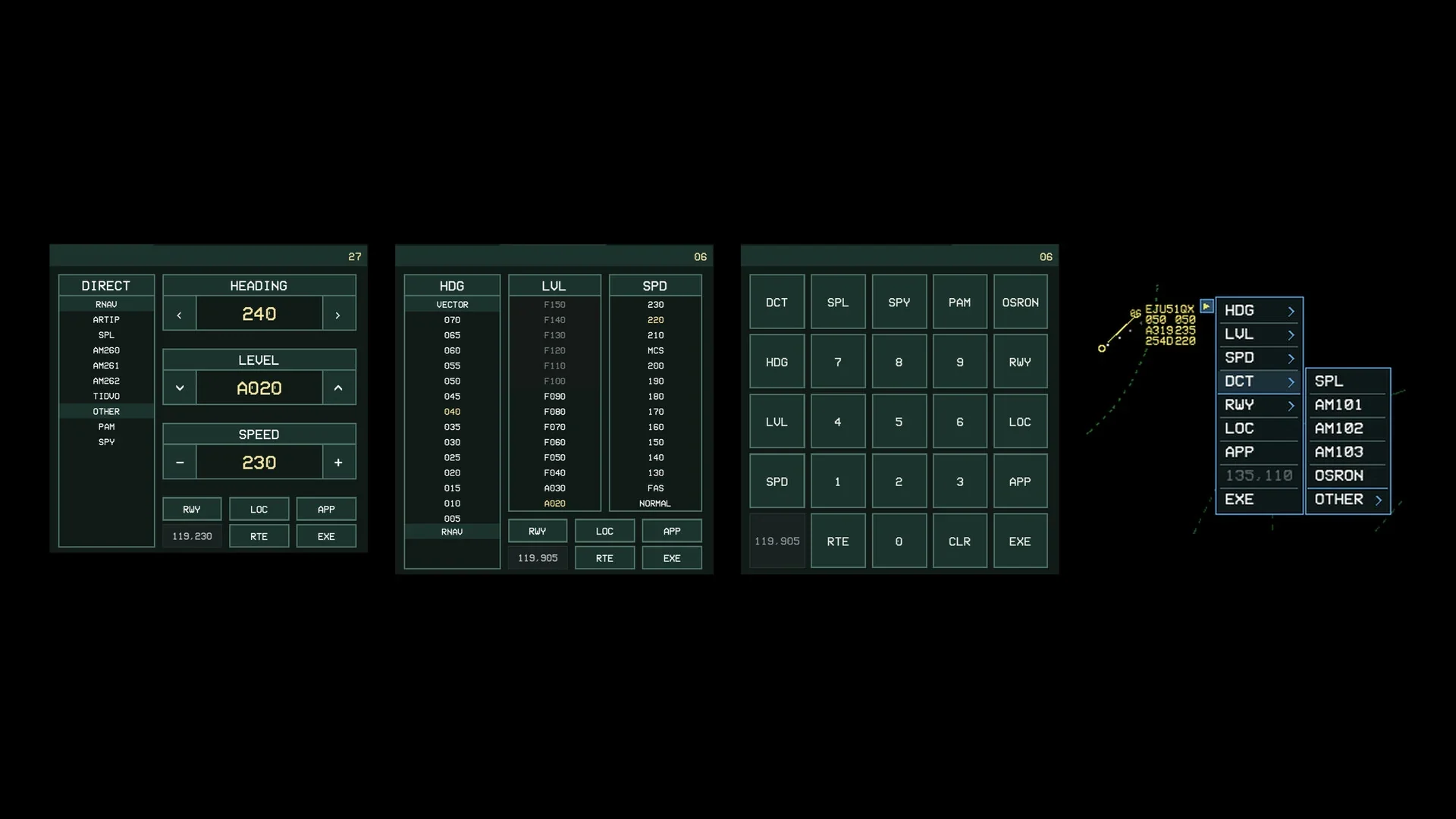
You can also play without a microphone. Heading, level and speed can be entered through several input-panel styles or keyboard shortcuts, and the developer says you can mix these methods with speech. The official interface image shows arrow-based controls, value lists, a touch-oriented keypad and a menu opening from an aircraft label. Voice is an option for how you work, rather than a requirement to participate.
Local speech processing and AI use
The model runs offline on a graphics card or processor, according to the developer. That makes hardware performance another thing to check alongside microphone setup; local processing is not a guarantee of identical response times on every computer.
According to the Steam disclosure, speech recognition and Piper-generated pilot readbacks run offline on your own computer. The developer says voice input and player data are not sent away or used to train a model. That is a developer statement about the software, not an independent privacy audit. The store separately acknowledges AI assistance with some marketing text and graphics.
Start in the Academy before taking a busy sector
MultiScope has a specific answer for players who like the idea but cannot yet read a radar scope. Its Academy devlog describes a fictional practice airspace that adds one task at a time. Early lessons introduce entry and exit points and headings; later ones bring in levels, approaches, departures and eventually the combination.
Two instructors divide the teaching: Rodger explains the airspace and aircraft behaviour, while Wilko explains the input devices. You can repeat lessons, and a separate phraseology course focuses on radio calls. The same radar, labels and controls are used outside the practice area, so the intended progression is learning a small part of the job before taking on Schiphol's traffic.
Four difficulty presets run from Beginner to Expert, with a choice between Realistic and Arcade behaviour and settings you can adjust individually. A searchable reference card and an in-game cheat sheet provide reminders while you work. Those are useful supports for learning the vocabulary, although the settings do not remove the need to understand what an instruction does.
That makes the Academy worth examining before assuming this is only for experienced controllers. It does not establish that the learning curve is gentle. The developer calls the curve steep, and the clarity of the instructions matters as much as the number of lessons.
Multi-sector play, AI controllers and online co-op
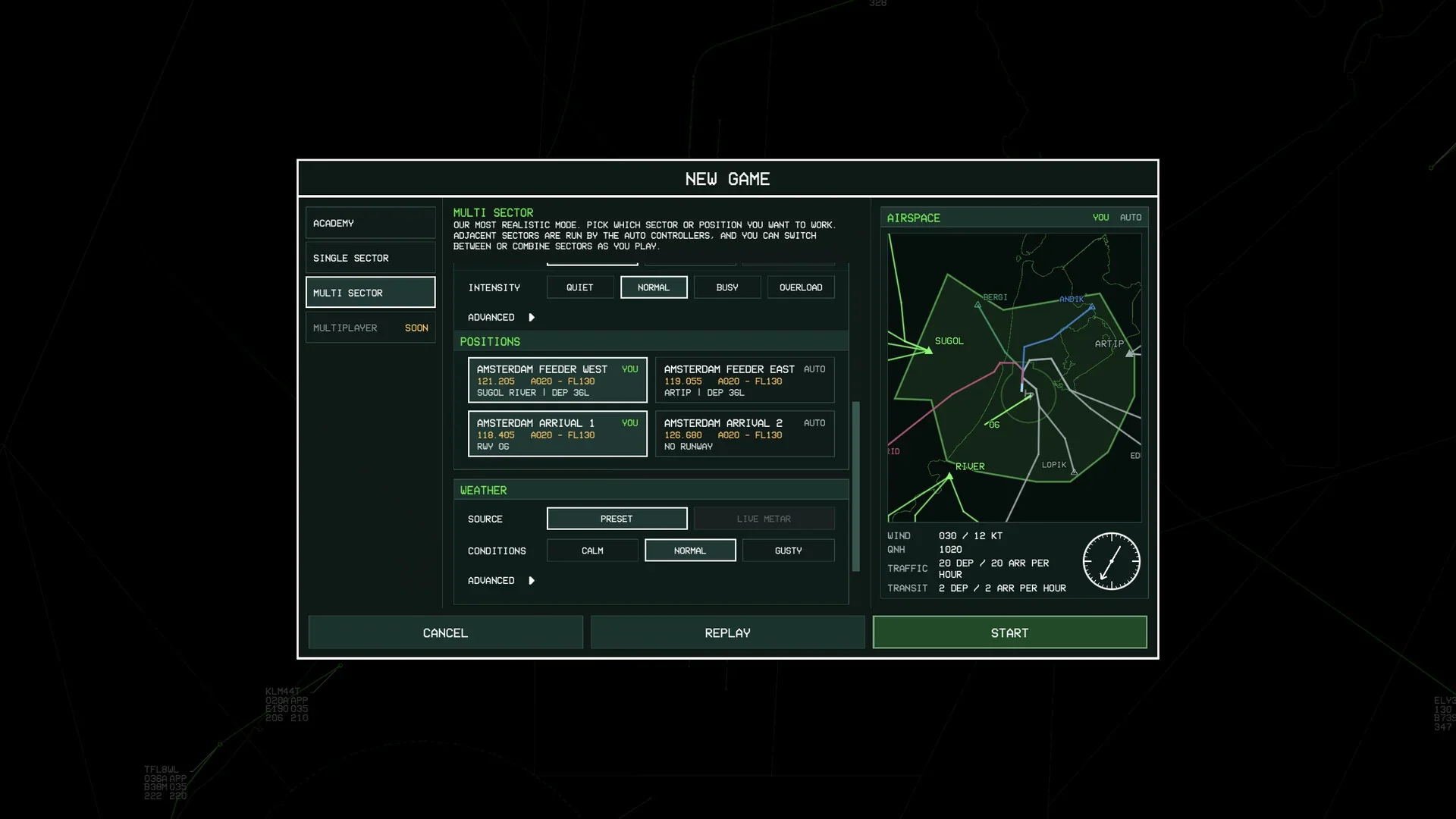
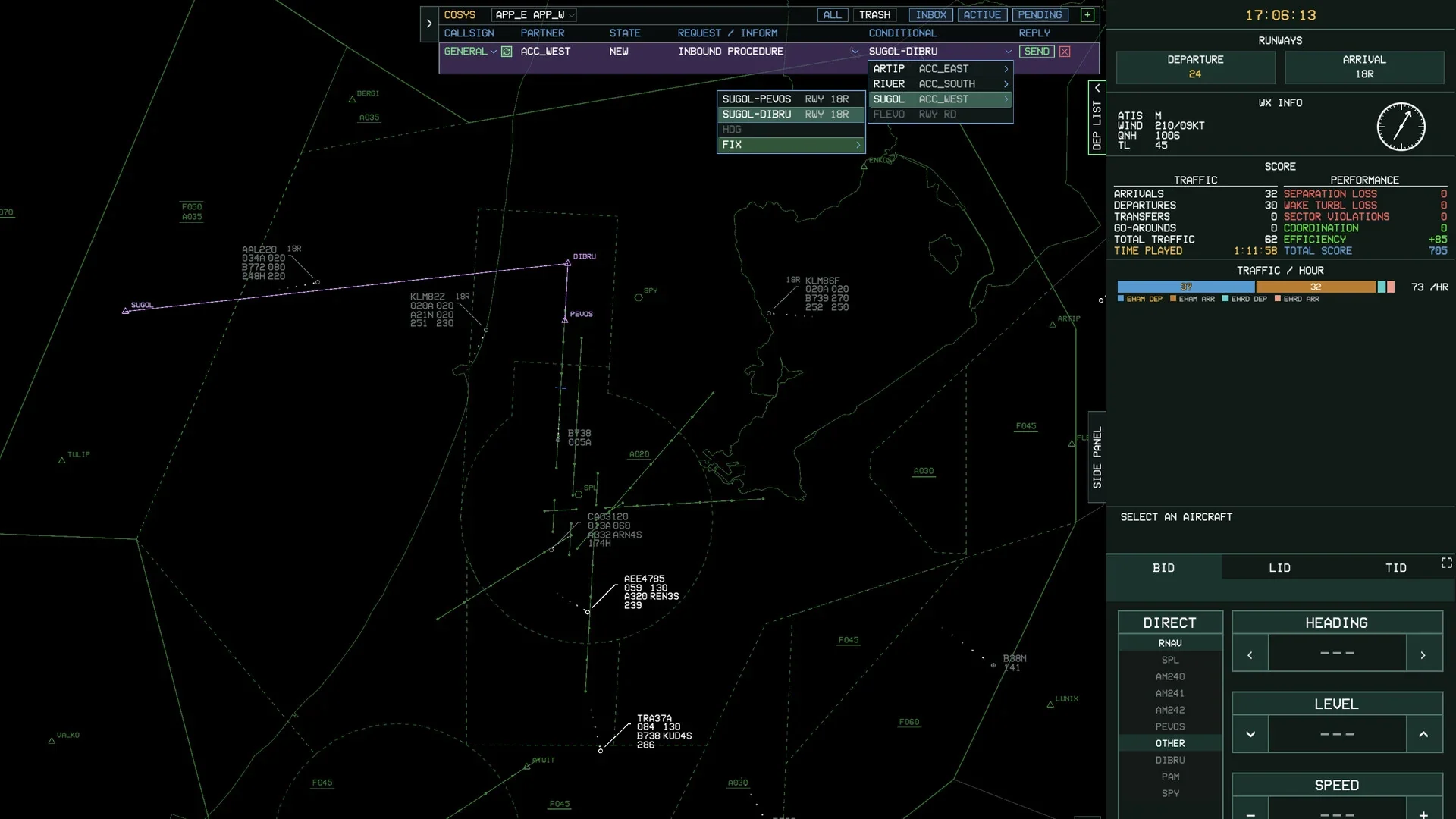
You can work a single self-contained sector or choose positions in a multisector session. AI controllers fill the positions you do not take. Each approach sector has its own frequency. COSYS, the game's coordination system, lets you make arrangements with adjacent controllers, such as agreeing a transfer level or requesting an aircraft early. Other examples in the store include dealing with a tower's go-around and borrowing a neighbour's airspace for a long final approach. The coordination matters because the useful path for your aircraft may cross somebody else's responsibility.
Online and local-network multiplayer are confirmed in the Early Access launch announcement and current Steam features. Each player holds a position, with AI working the rest. That gives a group a shared traffic problem: one person's handover becomes the next person's arrival. It should not be confused with everyone issuing commands to the same aircraft without roles.
The publicly linked roadmap still places multiplayer under longer-term exploration. That older planning line is overtaken by the explicit launch announcement and current store listing. Additional airports remain a plan; Schiphol is the airport to judge the present purchase on.
Real World mode, wind and runway limits
Each session has its own QNH pressure setting, wind and ATIS information. In practical terms, the pressure setting is part of interpreting altitude, while ATIS supplies the airport's current information.
Weather affects which runways are practical and how the aircraft move. The store describes crosswind and tailwind limits, a runway selector that warns when limits are approached or exceeded, and aircraft that can hold on the ground or go around when conditions are unsuitable.
The runway picker turns orange near a crosswind or tailwind limit and red when that limit is exceeded. Too much tailwind can keep departures on the ground, while an arriving aircraft may go around. That changes the available plan, even if your radar sequence looked tidy a moment earlier.
Choose your workload
Real World mode uses real schedules, with aircraft types and callsigns, from a chosen point in the day. You can instead choose your runway combination and set arrival and departure rates. That gives you a way to build up workload without treating the busiest possible scope as the default experience.
Sessions end with a report covering safety, coordination and efficiency. The useful question is not just how many aircraft you handled: it is whether the sequence worked without losing separation or sending avoidable problems to another position.
MultiScope Air Traffic Control in Early Access
In the first official devlog, the developers describe themselves as two student air traffic controllers. Their earlier Reddit introduction says they built the project around approach control at Amsterdam, working on it in evenings and weekends. The connection helps explain the emphasis on procedures and the controller's scope; it does not turn a commercial game into certified professional training.
The post-launch update trail gives a more current picture of development. Version 0.44.2 adds requested conditional instructions and interface options, while v0.44.3 addresses crashes, aircraft-label behaviour and an Academy scoring issue. Those are specific shipped changes in the developer's notes, rather than a general promise that Early Access will become polished later.
Public feedback is mixed in subject and too small to call a consensus. One Steam player praises the Academy and voice control; another reports being unable to leave a procedures screen at a large UI scale. A separate discussion questions the writing and AI involvement. The developers also acknowledge AI-assisted development in their Reddit introduction. These are useful checks for a prospective player, not grounds to claim that the whole simulation is either flawless or unusable.
Who should look at MultiScope Air Traffic Control?
MultiScope looks most relevant if you enjoy learning procedures, reading instruments and coordinating several moving problems at once. Optional speech offers a reason to practise phraseology, while panels let you focus on traffic decisions before worrying about a microphone.
Go in expecting an Early Access simulator centred on Schiphol, with active fixes and a learning curve to assess for yourself. Before buying, watch a full instruction, readback and aircraft response together, check the Academy presentation and inspect radar labels at your own display size. The official screenshots are dense even on a desktop. I have not played the current build or independently tested its voice recognition, so this is an introduction to its systems and limits rather than a performance review.
Screenshots