
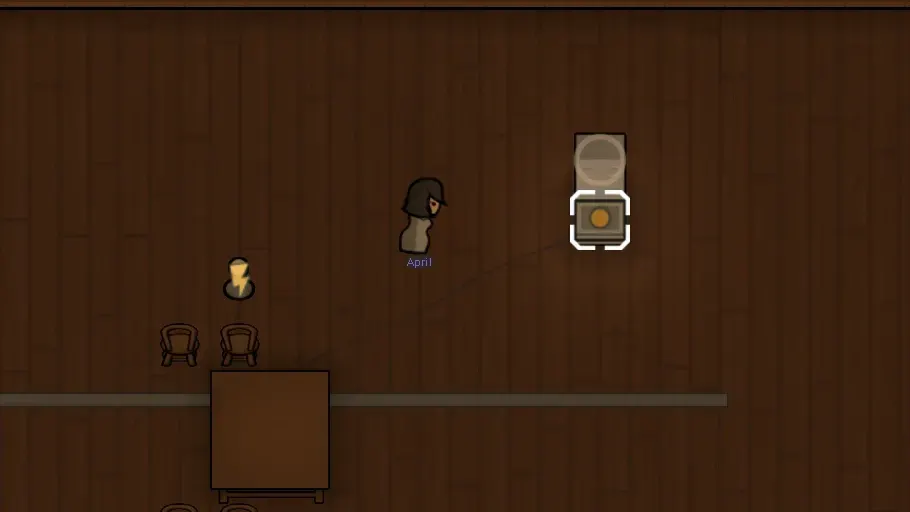
RimWorld vending machines: a Hospitality setup guide
Set up Hospitality vending machines in RimWorld: stock, pricing, guest purchases, fridge requirements and silver collection, with practical fixes.

Hospitality: Vending machines lets guests buy stocked items without a colonist standing at a counter. You choose what goes into the machine and set its pricing, then keep the stock supplied. The sale can happen without a cashier. The rest of your colony still has work to do.
That distinction matters when you want a small guest shop rather than a staffed Storefront. An empty machine doesn't create food, and a powered one doesn't guarantee that every visitor wants what you're selling.
What the Hospitality vending machines mod adds
This guide covers Hospitality: Vending machines, Workshop item 3014885065, credited to Orion and Adamas. It is a separate add-on, not a building you unlock just by installing Hospitality. The current Workshop page requires Hospitality (Continued).
It is also separate from selling nutrient paste through Hospitality's dispenser features. If you're looking at a paste dispenser with a selling option, identify that building and its mod before following instructions for this add-on. A vending machine isn't automatically a nutrient paste pipe outlet.
For guest rooms, hosting and recruitment, use the existing RimWorld Hospitality guide. This article follows the stock, customer and payment through the vending-machine setup.
Hospitality shopping area or Hospitality Storefront?
A Hospitality shopping area lets guests buy the items you put up for sale. A Hospitality Storefront adds a staffed counter. Vending machines sit between those arrangements: guests can buy items from a designated self-service building, without a seller waiting beside it.
A vending machine can stay available around the clock without a pawn on standby at the counter. That doesn't remove the need for stock, access or electricity where required. For a small shop, start with one machine before committing people and space to a larger business.
Research Complex Furniture and stock your first vending machine
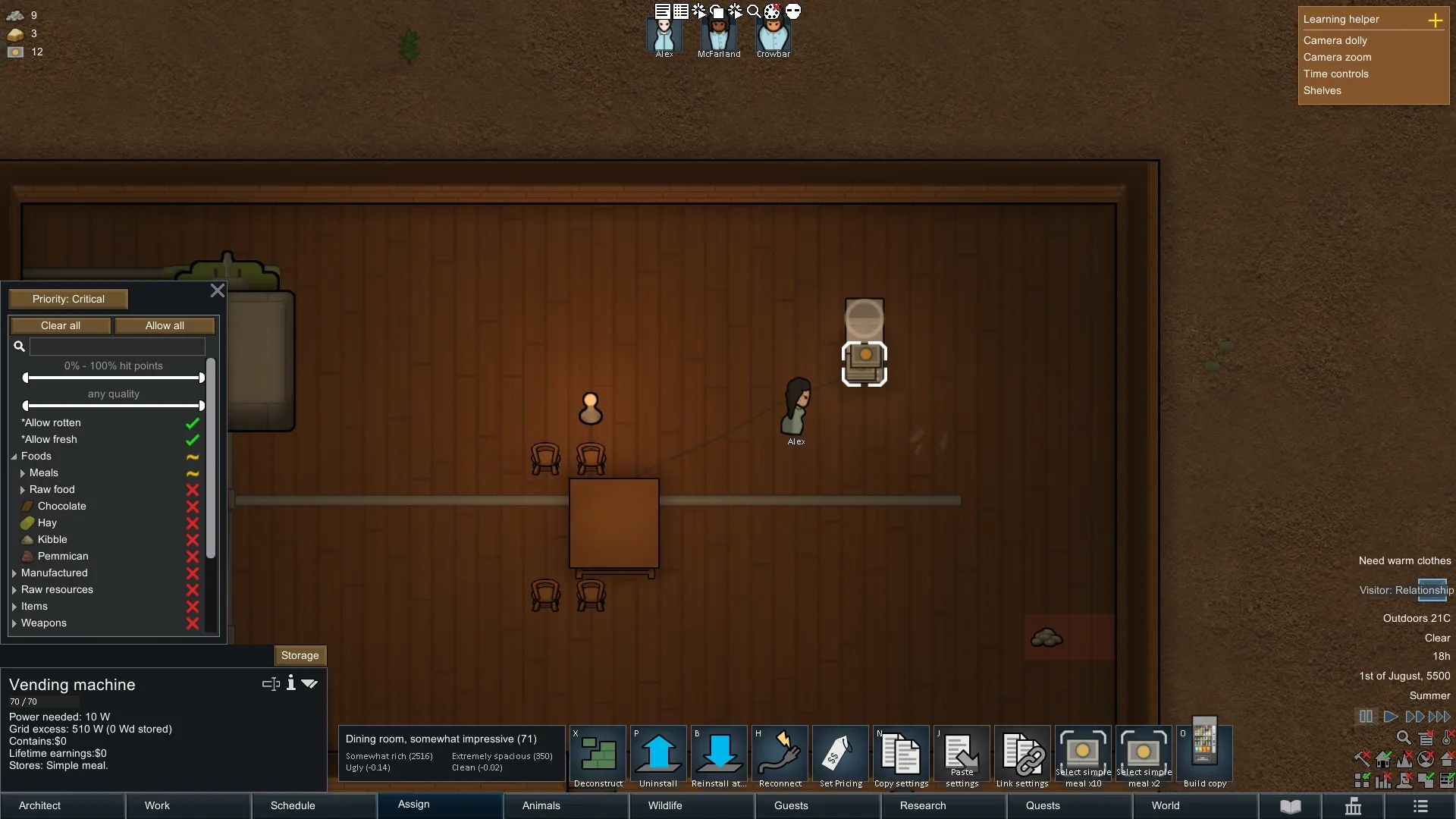
Before spreading machines around the guest area, get one complete route working:
- Confirm the installed vending-machine add-on and its Hospitality dependency match your game version.
- Complete Complex Furniture research. The inspected standard building is listed under Misc.
- Build the machine where guests can reach its interaction position, then connect the standard machine to power.
- Open its storage settings and allow a small selection of items you actually intend to sell.
- Set a useful storage priority and make sure a hauler delivers those items.
- Choose a pricing preset, then observe an actual guest purchase before expanding the arrangement.
Treat the machine like a shelf with a sales function: colonists still have to haul stock into it, and its storage filters and priority decide what belongs there. Start with something easy to track. If you offer meals, use food you can spare and watch whether the machine stays stocked. Selling your colony's last reserve is a supply problem even when the shop is working perfectly.
What the machine handles, and what you still handle
| Part of the setup | What to check |
|---|---|
| Selling | The add-on handles the guest's purchase; no dedicated cashier needs to stand beside this machine |
| Stock | Your colony still has to produce or obtain goods and haul them into its storage |
| Access | Leave a route and a usable interaction position for guests |
| Electricity | The standard machine needs power; that doesn't make every optional machine identical |
| Payment | Collected silver and lifetime earnings are separate from the goods offered for sale |
The authors' building definition also includes an unpowered medieval variant. Check which building you selected before diagnosing a missing power connection. A building definition in the repository isn't proof that the same variant appears in every installed Workshop version or modpack.
Choose a pricing strategy for guests
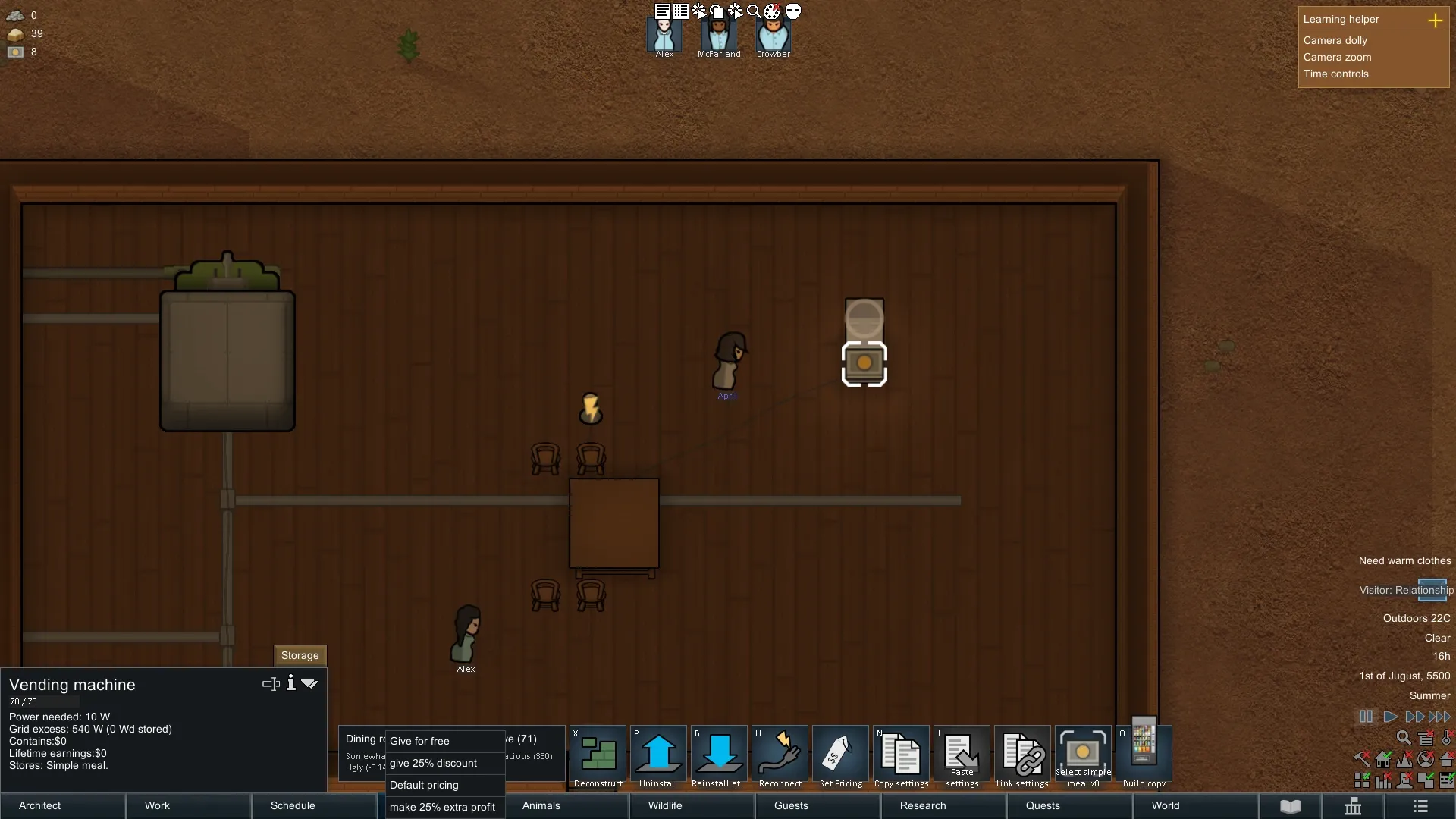
The English controls in the inspected files offer Give for free, give 25% discount, Default pricing and make 25% extra profit. Higher prices can mean worse guest ratings; the authors present discounted or free offers as the more generous alternatives. Choose the offer you want your guests to receive, then check the result.
Treat these as presets to inspect in your installed version. “Extra profit” isn't a measured margin after producing food, hauling stock or keeping the machine powered. Free goods are a hosting choice; they won't generate sale income.
If you want to check the transaction, record the goods and quantity purchased, the selected preset and the silver received. A single purchase can confirm that the route works. It doesn't establish how much the shop will earn over a season.
Why won't guests buy anything?
Follow the failure from the visible problem instead of changing every setting at once.
| What you see | Check next | Practical response |
|---|---|---|
| No machine in the build menu | Installed add-on, dependency, research and game version | Identify the exact mod and building before adding more patches |
| Machine built but empty | Storage filters, priority, available goods and hauling | Confirm an actual delivery; an allowed item is not stocked merchandise |
| Goods present but no purchase | Guest status, access, power where required, item interest and affordability | Observe a visiting guest with a reachable, buyable item |
| Food disappears before guests use it | Which pawn took it and why | Check colony food access and restocking; don't assume the stock is guest-only |
| Meals spoil in the machine | Actual building variant, refrigeration support and conditions | Verify cooling rather than treating every vending machine as a fridge |
| Revenue is shown but silver hasn't reached storage | The machine's cash contents, emptying settings and hauling | Check collection separately from sales |
The inspected shopping code selects arrived Hospitality guests, filters eligible items and checks whether they can be reached. Affordability also limits paid purchases. A visitor walking past a machine doesn't by itself show that the sale system is broken.
Workshop users have reported colonists consuming stock, difficulties filling machines and confusion over refrigeration. Those reports help identify checks worth making. They aren't proof of a universal current bug or a fix for your particular mod list.
Compatibility notes for fridge vending machines
The authors describe refrigerated machines as an additional option when supported fridge mods are installed. The inspected fridge patches look for Simple Utilities: Fridge or named RimFridge variants, including RimFridge: Now with Shelves! and RimFridge Updated.
That is a specific compatibility path, not a promise that any mod with “fridge” in its name will work. Confirm the exact installed dependency and building. Look at the food's actual storage state before leaving a large supply of perishables there.
There is also a separate Adaptive Storage Patch, Workshop item 3319084133. It is a different Workshop item from the main vending-machine add-on. Don't substitute it for the main mod or assume it is required for every setup; check its own requirements if your storage arrangement uses it.
Collecting silver is another hauling job
The machine can hold payments separately and exposes Contains and Lifetime earnings in its inspection text. The cash contents are separate from the products available to buy. Select the stocked goods separately when checking how much food remains.
The add-on also has an emptying interval setting and a work routine for moving the money to suitable storage. If customers buy things but the silver seems missing, inspect the machine and check for physical silver awaiting hauling before diagnosing the sale as a failure. Then check whether a pawn can collect the money and has somewhere appropriate to put it.
A purchase to check before you expand
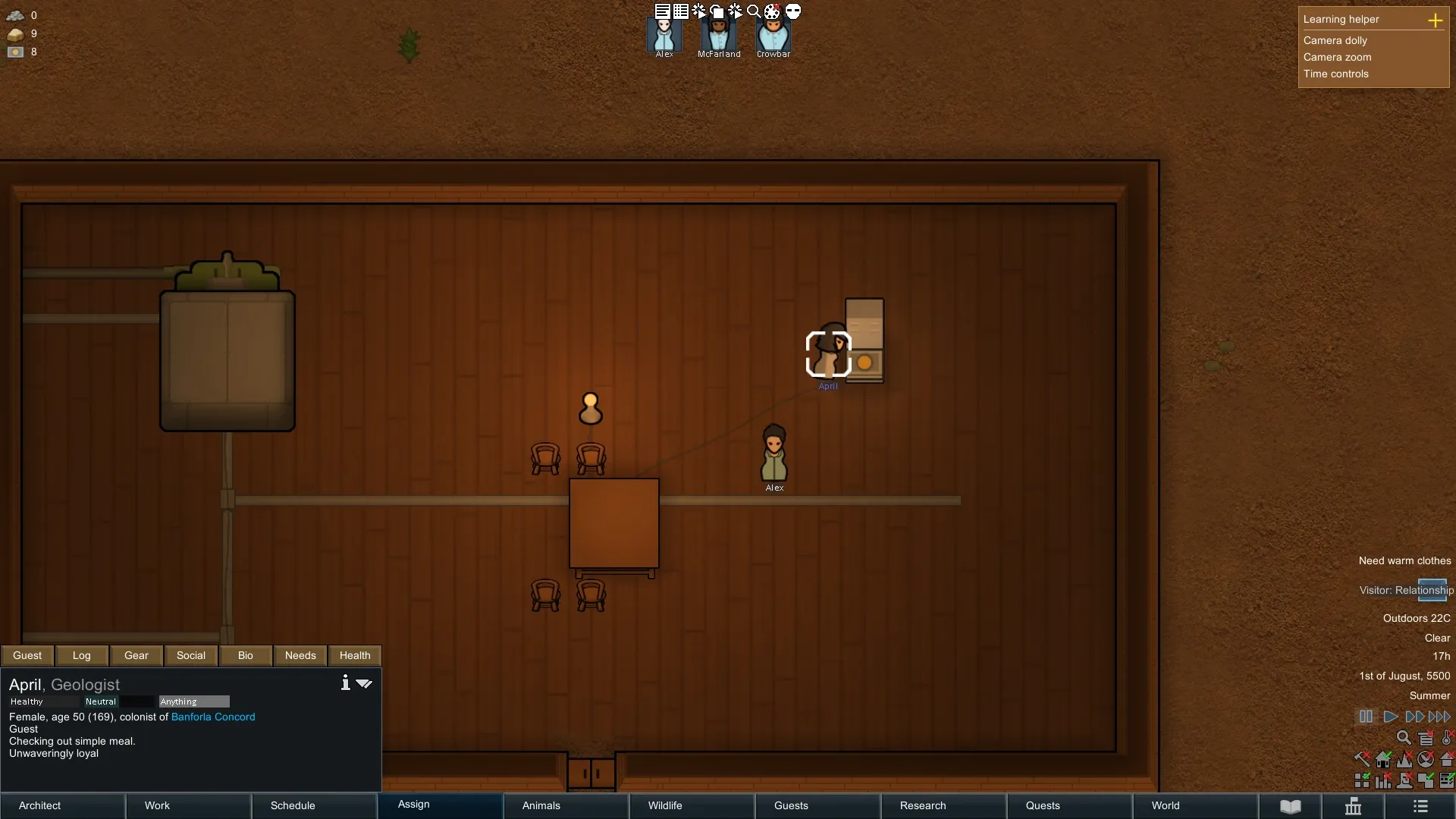
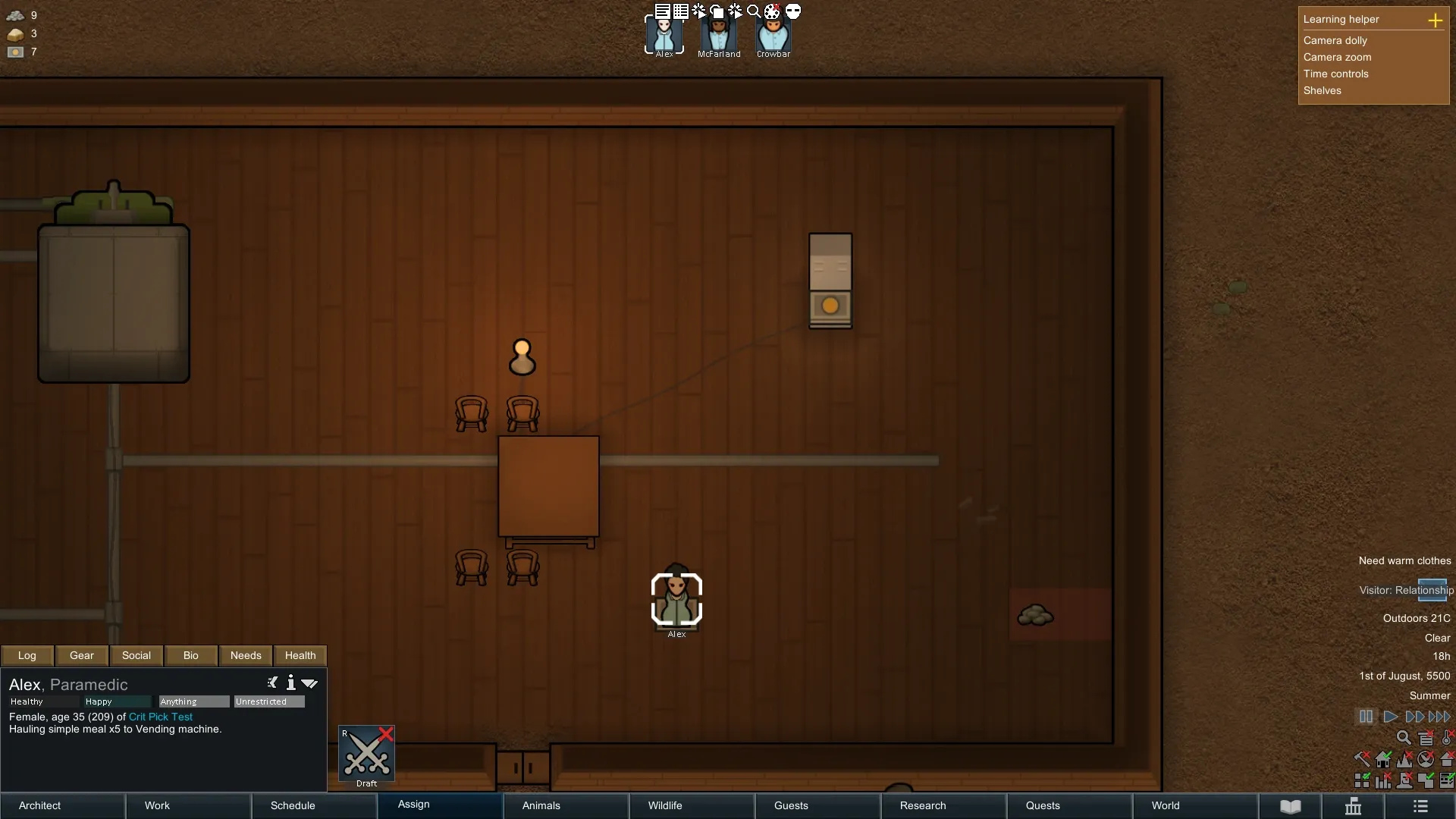
In a reconstructed test colony, a guest bought one simple meal for 12 silver. The machine's stock fell from five meals to four, the guest's silver fell from 14 to two, and the machine's cash rose from zero to 12. A colonist then emptied that payment and carried the physical silver to storage.
Those are two separate jobs: the guest buys the food, then your colony collects the money. Follow both before calling the shop finished. This was one controlled transaction, not an earnings forecast; the price is the recorded result, not a recommended price for every meal or colony.
Hospitality, nutrient paste and separate prison cells
I use both Hospitality's paste-dispenser selling feature and the separate Vending machines add-on in my setup. Nutrient Paste Expanded fits nicely alongside them. I particularly like the paste network for keeping prisoners supplied in their own cells. That is a feeding arrangement, while this add-on's shopping code looks for visiting Hospitality guests.
The companion Nutrient Paste Expanded guide covers grinders, vats, pipe outlets and animal feeding. When using the systems together, identify the actual building that supplies or sells the food. A vending machine beside a pipe isn't proof of a direct connection.
For your own layout, trace the route you are actually using: produced food, stocked machine, arriving guest and payment. For paste delivery, trace the pipe network instead. Keeping the two routes clear makes it much easier to find the missing step.
FAQ
Does Hospitality already include this vending-machine add-on?
No. This guide covers the separate Workshop item Hospitality: Vending machines, ID 3014885065. The current listing requires Hospitality (Continued). Identify paste-dispenser selling features separately.
Do vending machines need a cashier?
The add-on is intended for self-service guest purchases. You still need to supply stock, maintain any required power and collect the resulting silver.
Does every vending machine refrigerate food?
No. The refrigerated option relies on supported fridge-mod integration. Check the exact building and the food's actual storage conditions in your installed version.
Does a higher price guarantee more profit?
No. A pricing preset doesn't guarantee purchases or net profit. Check actual transactions, available stock, guest affordability and your costs.
Sources
Accessed October 24, 2026: authors' Workshop listing, authors' repository, building definitions, machine and payment component, shopping selection, purchase job, English controls, Simple Utilities fridge patch, RimFridge patch, separate Adaptive Storage patch. The repository snapshot is a source inspection. Images and the transaction example come from reconstructed in-game tests on October 24–25, 2026. The later test followed a purchase through the machine's cash display to completed collection; an earlier test produced physical silver at the machine instead. Neither tests refrigeration, every dependency combination or seasonal income.