Everything in Hytale Update 6 — and how to play it today
Hytale Update 6 isn’t out — it’s been in pre-release since 28 May, now Part 13. The in-game mod browser, five Hardcore modes, and how to play it today.

Everything in Hytale Update 6 — and how to play it today
Hytale Update 6 has not been released. It has been in pre-release since 28 May 2026, and the latest instalment, Part 13, landed on 20 August, with a hotfix on 22 August. That is thirteen weekly patches and counting, none of which you get automatically.
You can play all of it right now. Launcher → Settings → Pre-Release. That one toggle is the difference between sitting on Update 5 from 26 May and having an in-game mod browser, five flavours of Hardcore Mode, a first-party Spectator Mode, gyro aiming, a Color Tool and a substantially rebuilt Trigger Volume system. Below is everything Hypixel has shipped into the Update 6 branch so far, newest and biggest first.
A mod browser inside the game (Part 12, 13 August)
This is the one that changes how Hytale feels day to day. You no longer install mods — you browse them. In Hypixel’s words: “The first version of the mod browser is now available from the Hytale main menu, showing featured, popular, and recently updated mods.”
- “Filter by category, or search mod names and descriptions for something specific.”
- “Open any mod to see its description, screenshots, download count, supported game versions, and install buttons.”
- “View, update, or remove your installed mods from the ‘My Library’ screen.”
If you have ever set up a Minecraft mod loader, you know what is being skipped here: no loader, no manual folder, no version-matching by hand. It is first-party, it is in the main menu, and it reads download counts and supported versions to you before you commit.
Part 12 also lifted the ceiling on building. “Builder tools now support selections of up to 16 million blocks”, and “Large builds now save in a new compact format, keeping file sizes small.” Copy, cut, paste and save on big selections are all faster, the paste preview falls back to an outline instead of stalling when the clipboard is huge, and if a selection goes over a tool’s limit the game now tells you by how many blocks. Undo and redo use far less memory — with the honest caveat that they now keep to a memory budget, so after a very long run of very large edits you may not be able to undo all the way back.
Hardcore Mode, now in five flavours (Parts 9 and 11)
Hardcore Mode arrived in Part 9 as a single switch, and Part 11 turned it into a menu. It is still a decision you make at world creation and cannot change afterwards — but what you are choosing has become a lot more interesting. Verbatim: “There are now five different hardcore mode settings you may select from when generating a new world.”
- Off — “Hardcore isn’t enabled.”
- Permadeath — “Each player has a single life. Death is permanent.”
- Three Strikes — “Each player has three lives. After strike three, you’re out.”
- Nine Lives — “Everyone in the world has a shared pool of nine lives. Once the ninth death occurs, the run ends for all.”
- Soulbound — “Everyone’s fate is interconnected. If any player dies, the run’s over.”
The last two are the ones worth pausing on, because they are group modes rather than personal ones. Nine Lives gives a server a shared budget to burn through; Soulbound makes every player everyone else’s problem. On Three Strikes and Nine Lives you can also move the starting number of lives up or down at world creation — though Hypixel adds, dryly, “No, it cannot be set to zero.” Once a hardcore mode is on, “the number of lives remaining will appear above your health.”
What happens on death has not changed since Part 9. In Hytale’s own words: “Avatars won’t respawn in Hardcore Mode, but will instead drop all of their worldly possessions and be switched into Spectator Mode.” Death is not a respawn timer — it is the end of that character, and you become a ghost watching the world you died in. Spectators are not visible to anyone who is not also spectating, and cannot interact with the world.
A first-party Spectator Mode (Part 9)
Hardcore Mode is built on something with a much longer reach: Hytale now has a built-in Spectator Mode as an opt-in server feature, driven by a new /spectate command (toggle, watch, target). It is data-driven — a GameModeType asset declares per-player state such as flying, no-clip, invulnerability, intangibility, blocked interactions and item drops, a locked camera view and a voice channel.
Read that as a server admin, not a player, and the shape is familiar: this is the spectator/moderator toolkit a Minecraft server bolts on with a plugin, shipped in the base game and configured through assets. Same server-side-first story the Trigger Volume work keeps telling. (Also, per the Part 10 notes: “Spectators can no longer dab on others.” Priorities.)
Combat, movement and quality-of-life tuning (Part 9)
- “Stamina will now begin refilling half a second faster after guarding with a weapon or shield.”
- “The first two attacks in the Dagger combo now deal slightly more damage.”
- Sliding no longer costs Stamina; attacking with a Mace no longer instantly restarts Stamina regeneration; arrows can no longer be used to ineffectively guard against attacks.
- “Added smooth color blending across biome borders” — terrain and foliage tints now fade gradually between biomes instead of snapping at the seam.
- “Dirt blocks may now be crafted into two half-slab blocks at the Builder’s Workbench.”
- A search box was added to the top of the controls page in settings, to find keybinds quickly.
Part 9 also moved the documentation site to a new theme and new domains: docs.hytale.com for stable and pre-release.docs.hytale.com for the pre-release branch.
The security story: a $20,000 PNG (Part 8, 22 July)
Part 8 opens with a disclosed vulnerability, and it is worth reading. A security researcher privately reported a flaw in the way the client handled image files (PNGs) that a server sends to your game — a malicious server could hand your client a crafted image and get code execution. Hypixel fixed it, made several further passes over the surrounding code, and awarded a $20,000 bounty. The researcher, 0x90, wrote up the full technical details as “How a PNG became a $20,000 Hytale RCE”.
The same fix shipped to the stable branch as hotfix 0.5.7 on 22 July, so you got it whether or not you are on pre-release. A studio this small paying out a five-figure bounty and shipping the fix to both branches the same day is the kind of thing that tells you how they intend to run a game that is, by design, wide open to community servers.
Moving platforms arrive: entities with hard collision (Part 8)
A quieter Part 8 change with big creative reach: “Players can now stand on, and be smoothly pushed by entities with hard collision.” Modders building moving walls or platforms can now use that behaviour to ferry players around; the Entity Tool can give entities rotated collision boxes for more complex obstacles. At this stage the collision only affects players. It is the raw material for elevators, moving platforms, crushers and parkour — the stuff a puzzle or adventure map is made of.
Part 8 also kept expanding the Trigger Volume Tool: a new ‘Time’ effect (set, pause, resume or smoothly change the time of day), a ‘No Use’ always-active effect that blocks using blocks or entities inside a volume, and new comparison options for conditions (‘Not Equal’, plus ‘At Least’, ‘At Most’, ‘More Than’ and ‘Less Than’). A new unlockable cosmetic, the Bastion Cape, landed alongside the security work.
Prefab preview holograms and world-map fixes (Part 10, 30 July)
- Prefab preview holograms. “Players can use the [/prefabpreview] command to spawn a ghost of any prefab into the world at their location.” Plugins can drop the same ghost via a new
PersistentPrefabPreviewAPI. Place-and-replace-block trigger effects can now rotate blocks on all three axes. - World-map fluid rendering fixes. Solid fluids such as lava now appear opaque instead of blending into terrain; stacked fluids (water over lava) blend correctly; fluids suspended over empty space, and thin single-layer fluids, are now visible.
- Dedicated servers now recover on their own when the main world crashes — before, a crash could leave the server stuck; there is a new configurable crash-recovery policy (Reload, Shutdown or None).
- Projectiles now fall when their supporting block is broken; entities no longer phase through fences and other blocks; and, memorably, “Thrown Poop no longer deals damage.”
Cosmetics, blocks and settings polish (Part 11, 6 August)
Part 11 was mostly a tidying pass, and a broad one. Haircuts got a visual rework and retuned colours, and ear accessories now sit correctly against each ear type instead of floating. Colour options were added to the Alpine Explorer’s Jumper, Crown and Thigh-High Stockings, and a long list of cosmetics was visually reworked — beanies, capes, hats, the Forehead Protector, the King’s Cape and more.
- A new block, described exactly as you would hope: “Added a Full Leafy Soil block. It’s like the Leafy Soil block, but fuller.”
- “Added a search button to the Settings menu that searches across all tabs” — the same idea as the controls search from Part 9, now everywhere.
- Transparent surfaces look better when stacked, which mostly means glass seen through water stops going strange.
- The Trigger Volume Tool can now rotate a pasted prefab by 90, 180 or 270 degrees.
- Spectators no longer count toward the number of players needed for some events to trigger — a small fix with real consequences for Hardcore worlds, where spectators are the dead.
Gyro controls (Part 7, 9 July)
Hytale added gyroscope support for controllers. If you have a gyro-capable pad — a DualSense, a Switch Pro — you can enable motion controls in the Controller settings and aim the camera by tilting the controller. Gyro aiming is the thing that makes pad aiming competitive with a mouse in a first-person game, and a prerequisite anyone would want in place before a handheld conversation gets serious. Hypixel still has no answer on the Steam Deck — they say Hytale should run on it on paper, but have not tested it and lack input mappings and small-display UI. Gyro support does not change that; it does mean one more box quietly got ticked.
The Color Tool (Part 4, 18 June)
A Creative Mode tool, found under Specialized Tools in the Creative Inventory, with three modes:
- Coloring — replaces the blocks you aim at with another block, and can preserve shape variants while doing it.
- Gradient — paints smooth colour transitions across an area.
- Shading — applies lighter and darker tones based on a chosen light source, a surface angle, or a custom palette.
Shading mode is the interesting one. Hand-shading a large build to fake a light source is the kind of job that eats an evening; handing it to a tool that understands surface angle is the difference between a build looking flat and looking lit. Paired with Block Palette Presets from Part 1 — save a palette, reuse it — this is a real week of quality-of-life for people who build.
The Trigger Volume Tool got substantially bigger (Parts 4, 6 and 8)
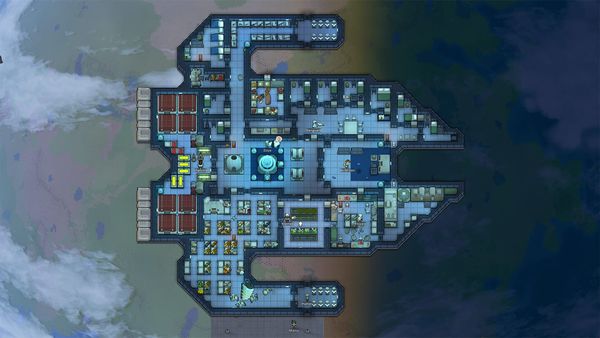
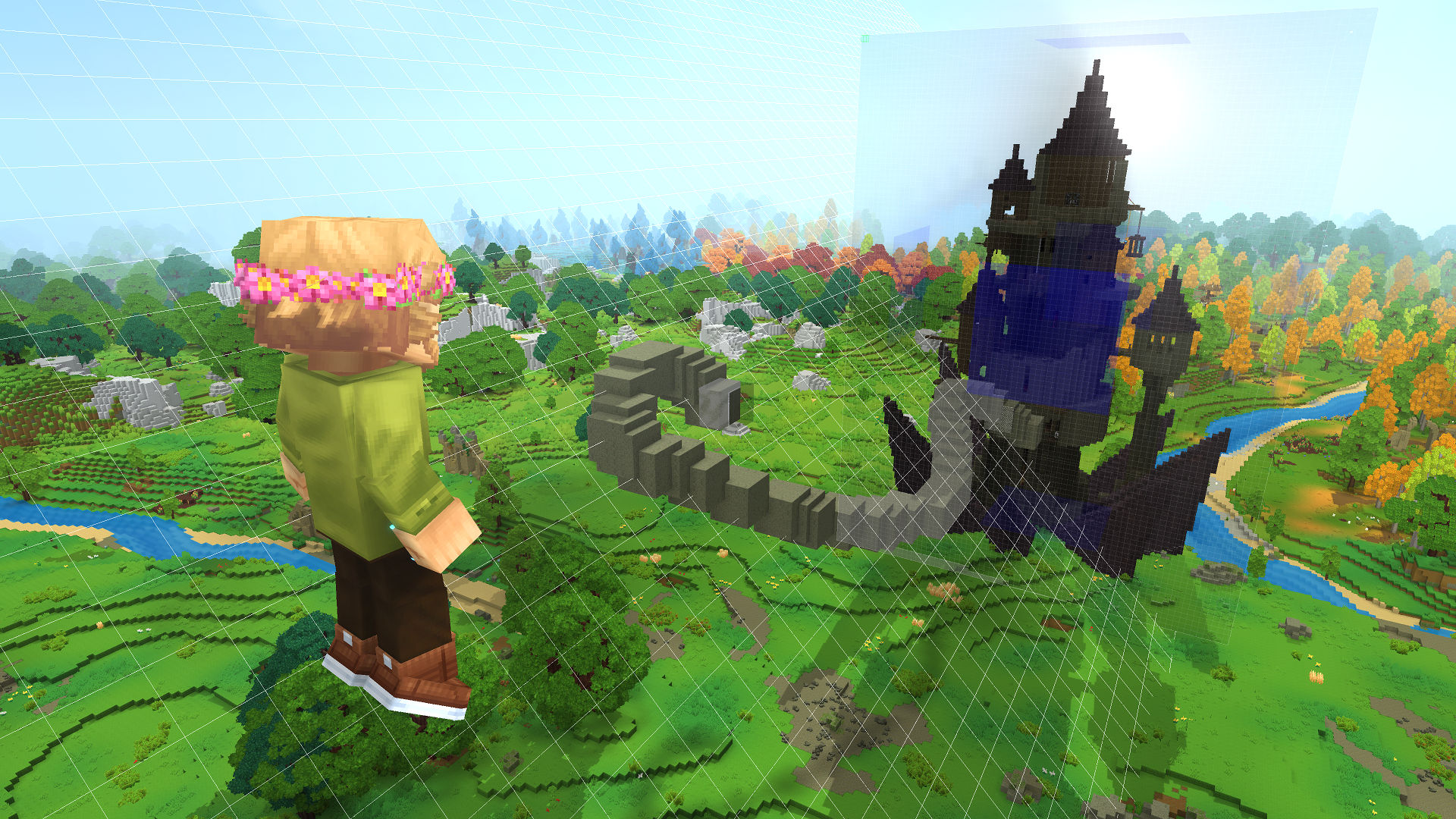
Update 5 shipped the Trigger Volume Tool for scripting encounters without code. Update 6 is where it stops being a demo.
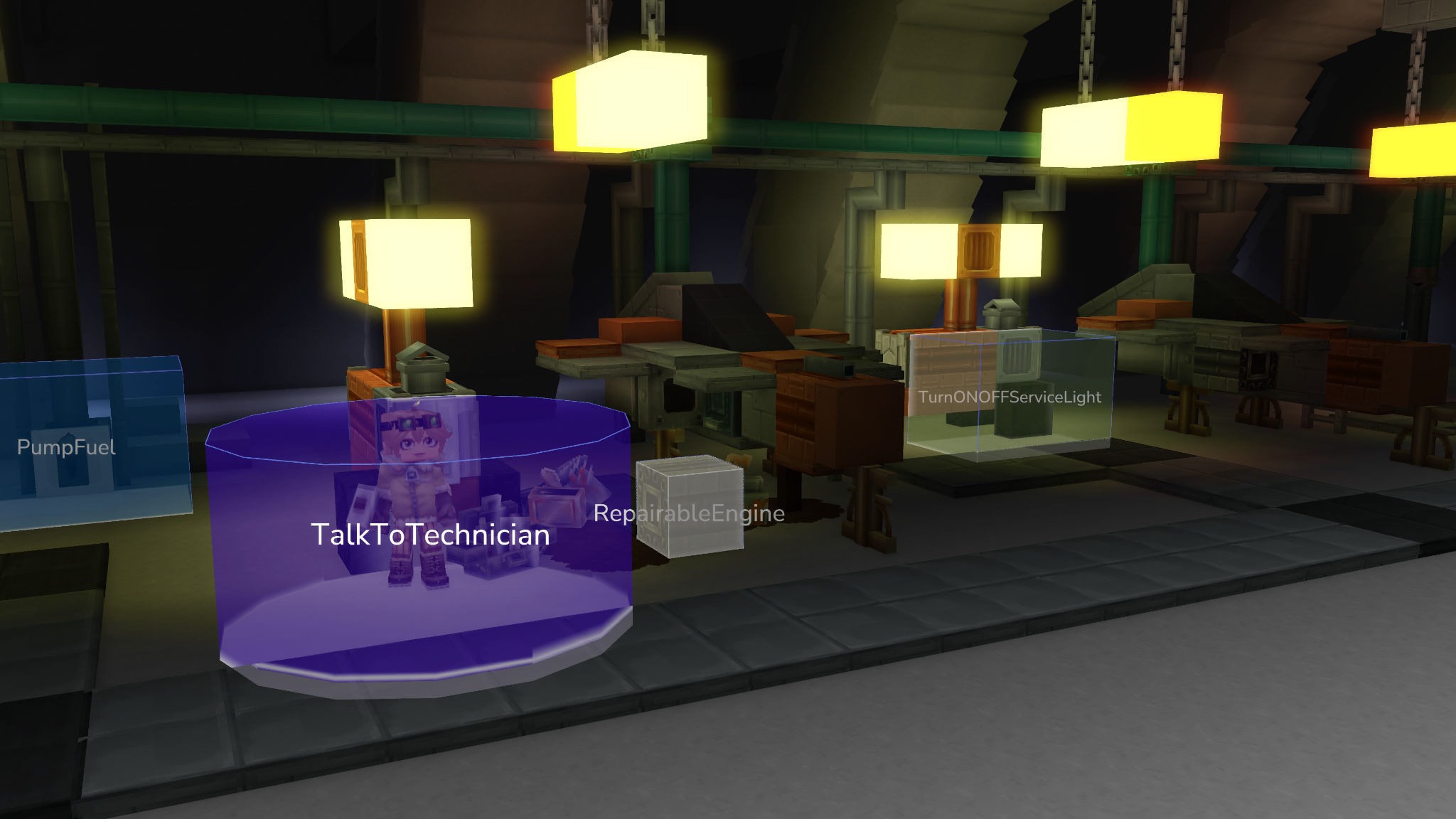
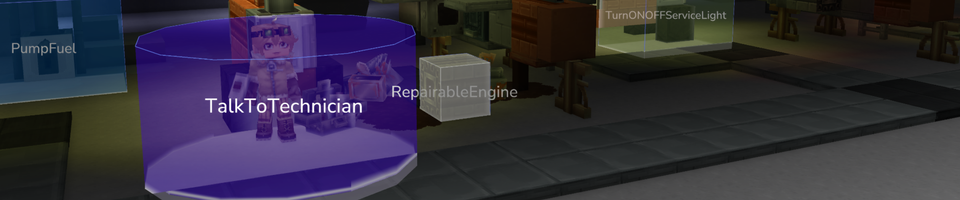
PumpFuel, TalkToTechnician, RepairableEngine, TurnONOFFServiceLight. No code anywhere. Source: Hytale, Update 5 patch notesPart 4 made a single volume able to hold multiple independent rule sets on the same event — group conditions and effects by giving them a shared Entry number. It also added two event types: On Block Used, which fires when a player interacts with a door, lever or chest, and On Entity Died.
Part 6 added an On Volume Create trigger, and an “Always active” option that persistently applies effects to anything inside the volume:
- Creative Placement — players inside can place blocks they carry as if in Creative Mode.
- Damage Multiplier — all entities, or particular ones, take increased or decreased damage.
- Fly — players inside can fly as if in Creative Mode.
- No Build — prevents block placement.
Part 8 added a ‘Time’ effect (set, pause, resume or smoothly change the time of day), a ‘No Use’ always-active effect, and richer condition comparisons (‘Not Equal’, ‘At Least’, ‘At Most’, ‘More Than’, ‘Less Than’). Read the whole list as a server admin rather than a player and it changes shape. Creative Placement, Fly and No Build inside a defined region, without a plugin, is the spawn-protection and build-plot toolkit that a Minecraft server would install three Java plugins to get. Hytale is shipping it in the base game, configurable in-world, no code. That is the server-side-first philosophy showing up as actual features rather than a mission statement.
Builder Tools escape Creative Mode (Part 4)
A modder-facing change with player-facing consequences: you can now enable Builder Tools outside Creative Mode. Set SurvivalAllowed: true in a tool’s asset JSON and grant players the matching permission (hytale.editor.tool.entity and friends). Which means a survival server can hand specific builder tools to specific people without switching anyone’s game mode. Again: JSON and a permission, not a plugin.
World-Gen V2 is quietly being built underneath (Part 2)
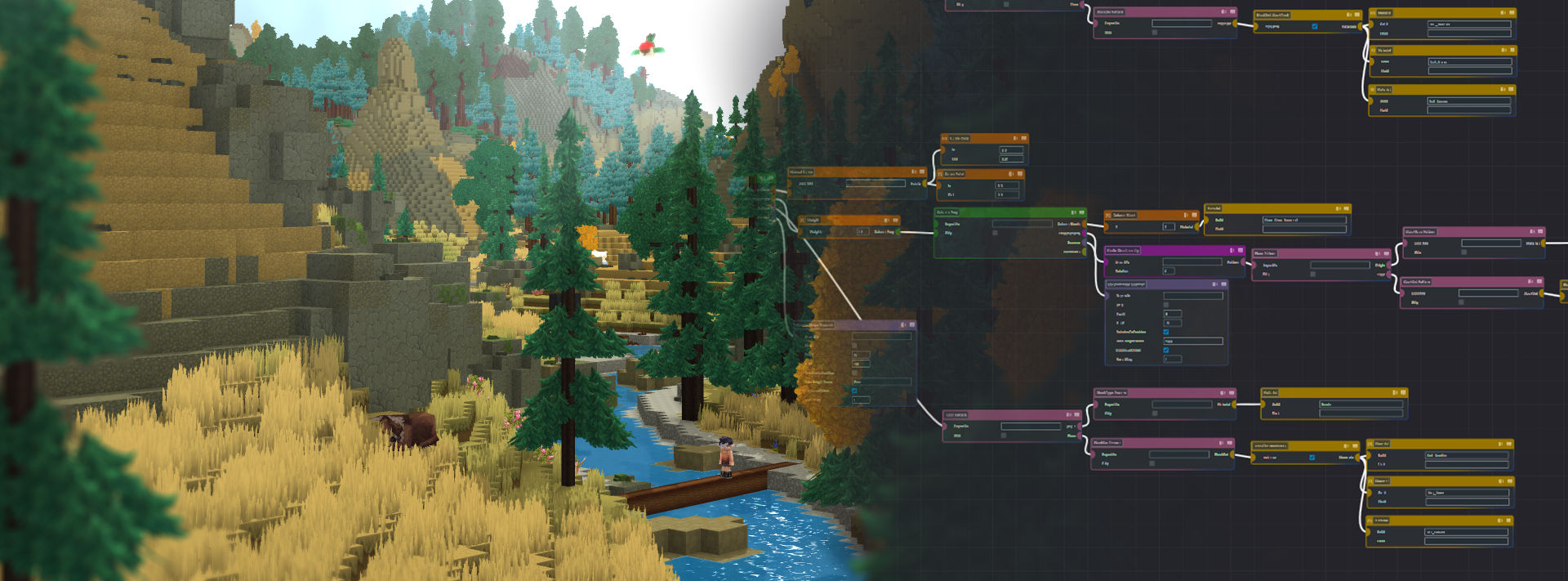
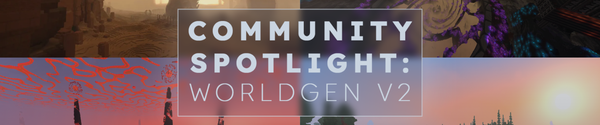
Part 2 added the in-dev Graph System to World-Gen V2, alongside a long list of primitives — WhiteNoise Density, Transparent MaterialProvider, DirectionalJitter and VectorOffset positions, Anchor PropDistribution, and a stack of VectorProviders (Adder, Cross, Multiplier, Normalizer, Random, ScalarMultiplier, SetX/Y/Z, Subtracter, VectorProjector). None of this does anything for you today. It is scaffolding for the world generator Hytale wants rather than the one it has, and it is explicitly marked in-dev. Worth knowing it is happening, because when it lands it is the kind of change that alters what the game looks like.
Part 2 also overhauled NPC templates: Template_Aggressive_Zombies is gone and zombies now use Template_Predator; a new Template_Flying_Aggressive arrived for flying hostiles with ranged attacks, deprecating Template_Eye, Template_Spirit and Template_Scarak_Seeker. If you maintain a mod that touches NPC templates, that is your homework.
Performance and networking (Part 7)
- Movement of other players and NPCs is interpolated better — smoother across a wider range of frame rates, with automatic adjustment for unstable connections to cut stuttering.
- Nearby chunks are prioritised better, so the area around you fills in sooner.
- Improved frame pacing to reduce stutter, especially at capped frame rates.
- Opening a world to connections is more reliable over Wi-Fi and on machines running VPN software.
- If automatic port forwarding is unavailable when you open a world to friends, the game now tells you that players outside your local network may not be able to connect — instead of silently failing.
The warning: OpenGL 4.1 is now a hard stop (Part 5, 25 June)
Hytale will now immediately close if you do not have OpenGL 4.1 or later. No warning screen, no soft fallback — the game closes. If Hytale stops launching after you switch to pre-release, this is almost certainly why, and updating your graphics drivers is almost certainly the fix. OpenGL 4.1 was already listed in the official hardware requirements, so this is enforcement of an existing rule rather than a new one. It will still catch people who never read the requirements and were getting away with it.
The part nobody is talking about: the community is shipping the game
Read the top of any Update 6 patch note and there is a thank-you list. Part 6 names nine people; Part 8 credits MelodicAlbuild and Eearslya; Part 10 credits Airijko, LionPa, Eearslya, Ed1lan, Zbeve and Zoltus — “for the fixes, features, and polish they’ve brought to this update.” These are not modders shipping mods. These are outside contributors whose work is in the official patch notes of the base game, week after week.
It is not accidental, either. On 22 June, Hypixel Studios announced Hytale Shared Source — the full server source, the protocol and every asset going to GitHub, license-gated on the model of Epic’s Unreal Engine source. Buried in that announcement is the shape of exactly what you see in these changelogs: pull requests are not open to everyone yet, so the team is running an invite-only contributor model with selected community members first, promoting the trusted ones to maintainers before opening it up. The names at the top of each Update 6 patch note are that programme, running. For a studio of roughly thirty developers that got its rights back eight months ago and promised a decade of funding, having named outsiders in the changelog every week is not a footnote. It is a development model. We will have more on Shared Source separately — it deserves its own piece.
So when does Update 6 actually ship?
Hypixel set the expectation themselves, in the Update 3 notes: “weekly pre-release patches for testing, bundled into a stable update every 2 to 6 weeks once things feel solid.”
Update 5 went stable on 26 May. Update 6 pre-release opened on 28 May. By release day on 27 August that is thirteen weeks — more than double the top of their own stated range, with Part 13 still landing patches on 20 August. The stable branch, meanwhile, got a security hotfix of its own: 0.5.7 on 22 July, the same PNG fix that went into the pre-release branch.
Hypixel has since put a date on it: Update 6 goes stable on 27 August. That came from the studio’s X account, not from a changelog — hytale.com still does not carry the date anywhere. The honest read is that “once things feel solid” is doing the work in that sentence, and a live Hardcore/Spectator system, a brand-new mod browser and an in-progress World-Gen V2 rebuild are reasonable things to not feel solid about yet. If you want the features now, the pre-release toggle exists precisely so you do not have to wait for the answer.
Is Hytale Update 6 out?
Not as a stable release. Update 6 has been in pre-release since 28 May 2026, with weekly patches — the latest, Part 13, landed on 20 August, with a hotfix on 22 August. The current stable version is Update 5, released 26 May 2026 (last hotfixed to 0.5.7 on 22 July).
How do I play the Hytale Update 6 pre-release?
In the Hytale launcher, go to Settings and enable Pre-Release. Bugs can be reported via the in-game bug reporter, and feedback via the Feedback Request site — note “pre-release” in your feedback.
What are the headline features of Hytale Update 6?
An in-game mod browser in the main menu, Hardcore Mode in five settings (Off, Permadeath, Three Strikes, Nine Lives, Soulbound), a first-party Spectator Mode with a /spectate command, builder tool selections of up to 16 million blocks, gyroscope controller support, a Color Tool for Creative Mode (Coloring, Gradient and Shading), Block Palette Presets, a substantially expanded Trigger Volume Tool with an Always-active option, prefab preview holograms, Builder Tools usable outside Creative Mode, and the in-dev Graph System for World-Gen V2.
Does Hytale have a Hardcore Mode?
Yes, in the Update 6 pre-release. It arrived in Part 9 (23 July) and Part 11 (6 August) expanded it to five settings: Off, Permadeath (one life), Three Strikes (three lives each), Nine Lives (nine shared across the world) and Soulbound (if any player dies, the run is over). It can only be chosen when you create a new world and cannot be changed afterward. Avatars do not respawn — on death they drop all of their possessions and are switched into Spectator Mode.
Does Hytale support gyro aiming?
Yes, in the Update 6 pre-release. Gyro-capable controllers such as the DualSense or Switch Pro can enable motion controls in the Controller settings to aim the camera by tilting.
Why did Hytale stop launching after I switched to pre-release?
Since Part 5 on 25 June, Hytale closes immediately if your GPU does not support OpenGL 4.1 or later. Updating your graphics drivers usually resolves it.
When is Hytale Update 6 releasing?
Update 6 goes stable on 27 August, announced on the studio’s X account rather than in a changelog. Hypixel Studios’ stated rhythm is weekly pre-release patches bundled into a stable update every two to six weeks; Update 6 will be thirteen weeks into pre-release, with Part 13 shipped on 20 August.
Sources: Hytale pre-release patch notes (Update 6, Parts 1–13) · Hytale Patch Notes — Update 5 · Update 5 Hotfixes (0.5.7) · Hytale Patch Notes — Update 3 · Hytale Hardware Requirements · 0x90, “How a PNG became a $20,000 Hytale RCE”. Checked 13 August 2026.